
With Easter tomorrow there is a common crafting problem that pops up with those cute egg and sucker holders…resizing.
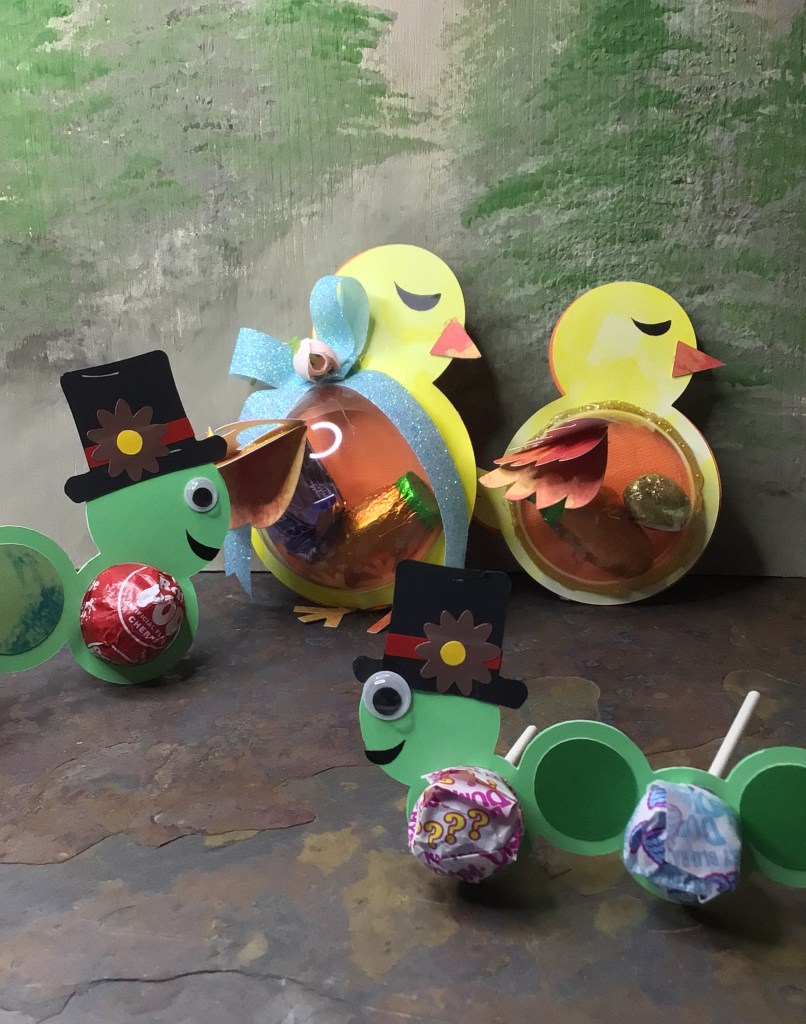
Not all eggs are sized the same. Not all suckers are sized the same. There are even some holders for chocolate balls. Not all chocolate balls are the same size.
I’ve seen more frustrated crafters than I care to mention. Either the designer miss-sized the holes, so things don’t fit or the crafter bought a candy that was not standard size for the file they bought.
The good news is that you don’t have to throw out the files that didn’t work for you. All you need to do is resize your file in your cutting program. And I’m going to show you how.
Resizing Your Critters


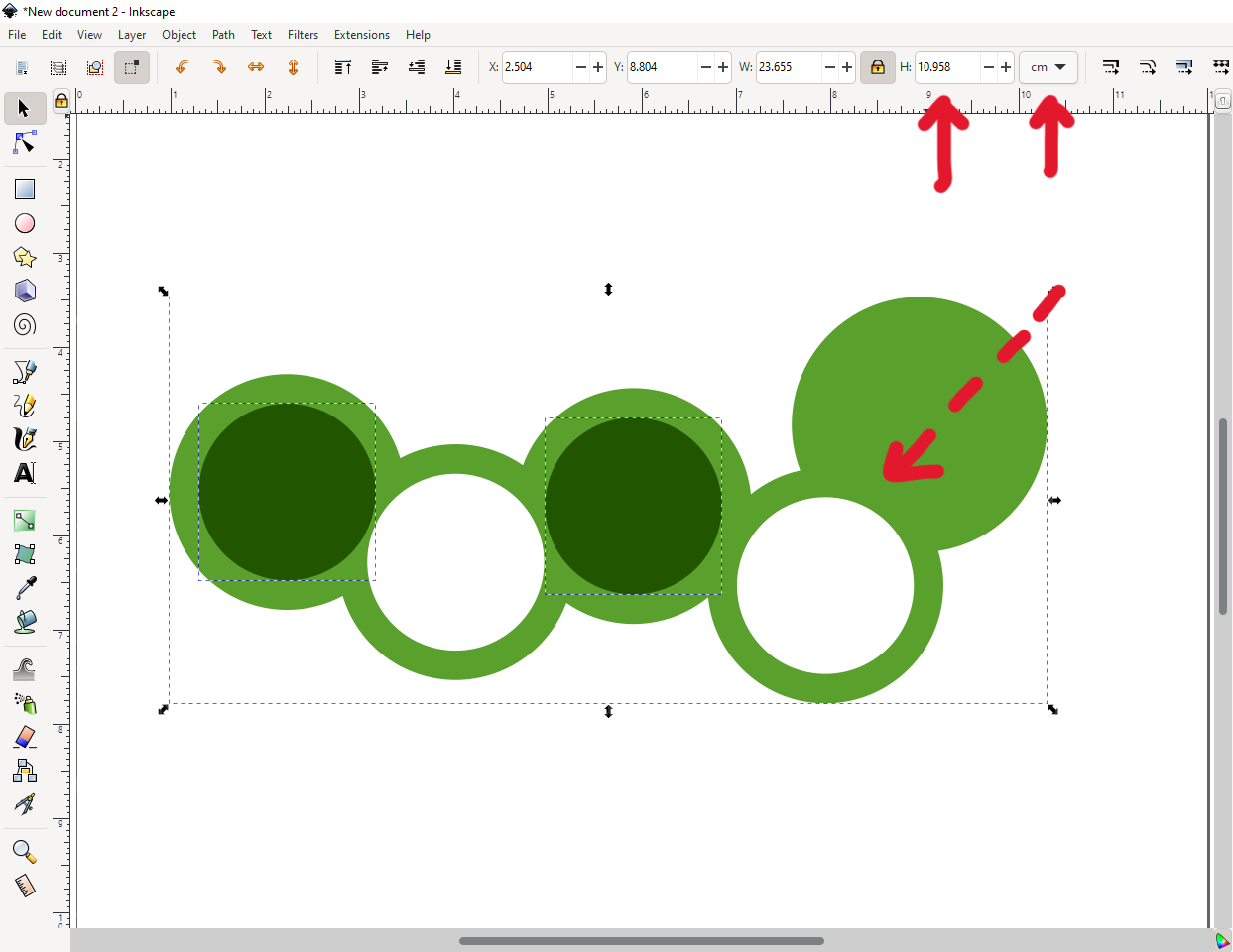

Step 1: Measure the diameter of your egg, sucker, or chocolate.
Step 2: (After checking to make sure your entire critter is grouped, to make sure you resize everything in proportion) Make a circle that fits the hole. You will use this circle to verify you have reduced or enlarged your critter to the size you need it. (See Photo 1 above)
Step 3: Check your program’s measurement type and decide if you’re going to do your measurement based off of your objects height or width. (See Photo 2 above)
You will notice in the photos that I have my measurements set to centimeters. The reason for this is because the plastic ornaments I’m using were sized in the metric system. I love designing in Inkscape because I can switch back and forth between the metric and imperial system with just a drop down menu.
The ornament I’m sizing down for is 4 cm.
Step 4: Select All: your entire critter and your sizing circle. Then increase or decrease your critter as you need.
This step will take a little time, because your entire critter is not going to be directly proportional to the hold diameter. I’m sure there’s a math equation that you could come up with to get you the answer every time. I am not a mathematician. So I use the computer program to do the work for me.
Step 5: Stop sizing in accordance to what you’re sizing for. (See Photo 4 above)
As I mentioned, I’m sizing down for a 4 cm plastic ornament. The ornament has no lip, other than the tab to string the ornament. And the caterpillar holder that I’m using does not have a base to deposit and hold the ornament.
If you’re using a cut file that holds your egg, sucker, or chocolate ball, you don’t have to be precise with your hole sizing. You just need the whole holder to be big or small enough to precisely hold your sweets.
However with a plastic ornament (I needed to use up my 3 cm and 4 cm ornaments that just are NOT standard size for any cut file on the market) I need to have a pretty precise hole size. I need to have it snug to keep the project together. So I made the hole slightly less than 4 cm so the tension of the two pieces of cardstock (glued together) was enough to hold the ornament with no other crafting tricks.
Step 6: Cut your file!
Obviously I didn’t resize in my cutting software. My software does not have a measuring system conversion tab. It’s permanently set in the Imperial measurement system.
If you find that you are also resizing outside of your cutting software, always make note of the height and width of your entire critter. This will allow you to quickly resize your entire critter in your cutting software without the guess work.
Let Me Do the Math For You
I want to make conversion easy for you, if you decide to go with my Caterpillar Ornament cut file!
Here are the measurements I used to make these Caterpillars for my boys.
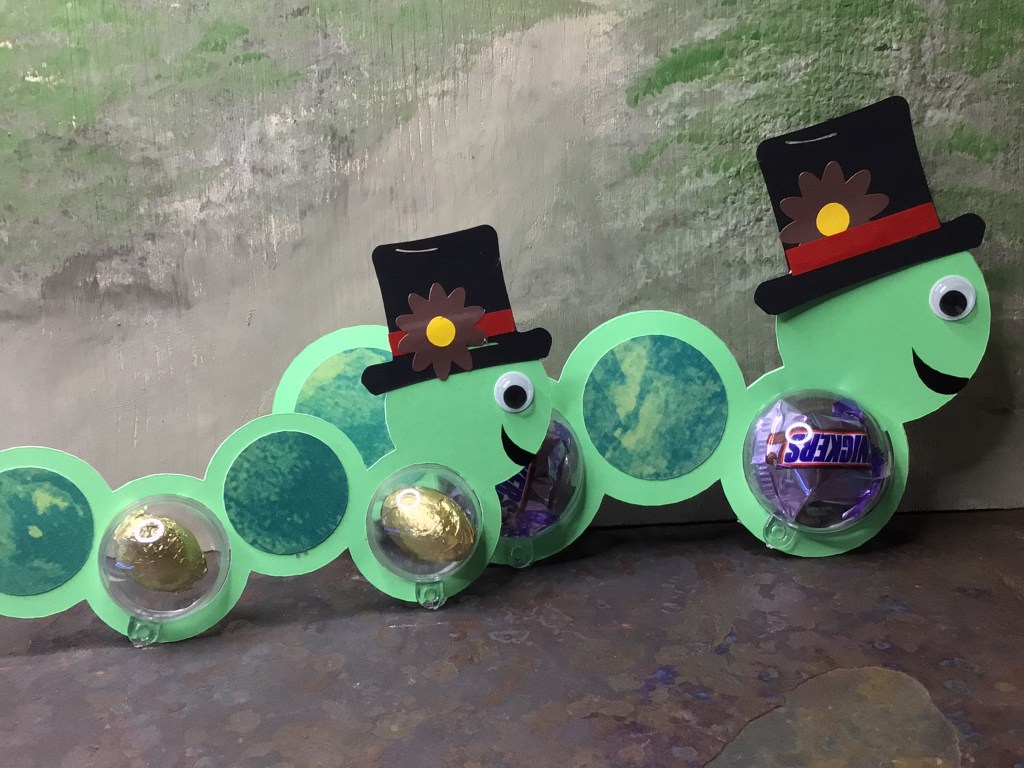
| Small Caterpillar | 3 cm | Height 2.7″ / 6.85 cm |
| Medium Caterpillar | 4cm | Height 3.6″ / 9.15 cm |

| 3 cm Ornament | Circle Back Cover 3.5 cm / 1.38″ |
| 4 cm Ornament | Circle Back Cover 4.5 cm / 1.77″ |


| Tootsie Pop | 3 cm | Height 2.7″ |
| Dum Dum | 2 cm | Height 1.85″ |
Honestly, with converting you could go as large as you want to. You could size up even more for gifting sox, underwear, baby onsies, and baby burp clothes. Literally you can convert to package any kind of gift in a new way!!!
What do you do when it all goes wrong?
Let’s be honest. Sometimes we forget to resize something. Or we think the designer made it correctly, but our cutting software program uploads the file at non-original dimensions (which has happened!) Or there’s an entirely different reason. Maybe the item you’re crafting with is not uniform in size (which happens with cheaply made items).
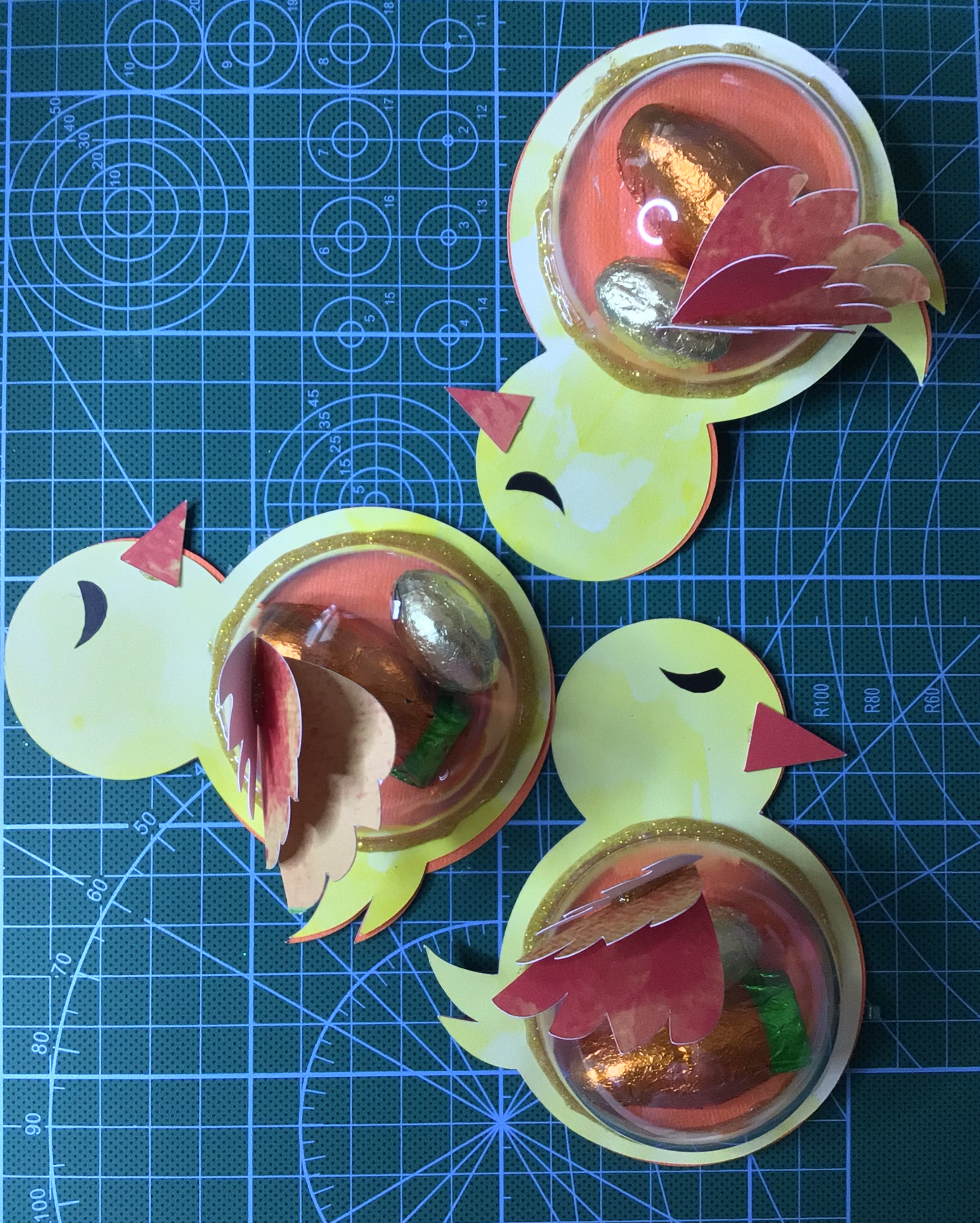
That is what I ran into with another designer’s file while I was finishing my Easter crafting for my boys. I had used this other designer’s file for Rabbits with my 5 cm and 6 cm plastic ornaments. I had also gotten her Chick file. I had to make conversions for her files because all my ornaments were smaller than hers, for which she used to design her file. The Rabbits turned out perfect. The Chicks were hit and miss. The 5 cm Chicks turned out near perfect. The 6 cm Rabbits were perfect. But the 6 cm Chicks were too small!
Now if I were making these for clients, of course I would make the adjustments and make them new. However we all know that my boys are just going to rip into the cardstock and go straight for the candy! They’re not going to notice any flaws. So I’m free to make corrections.
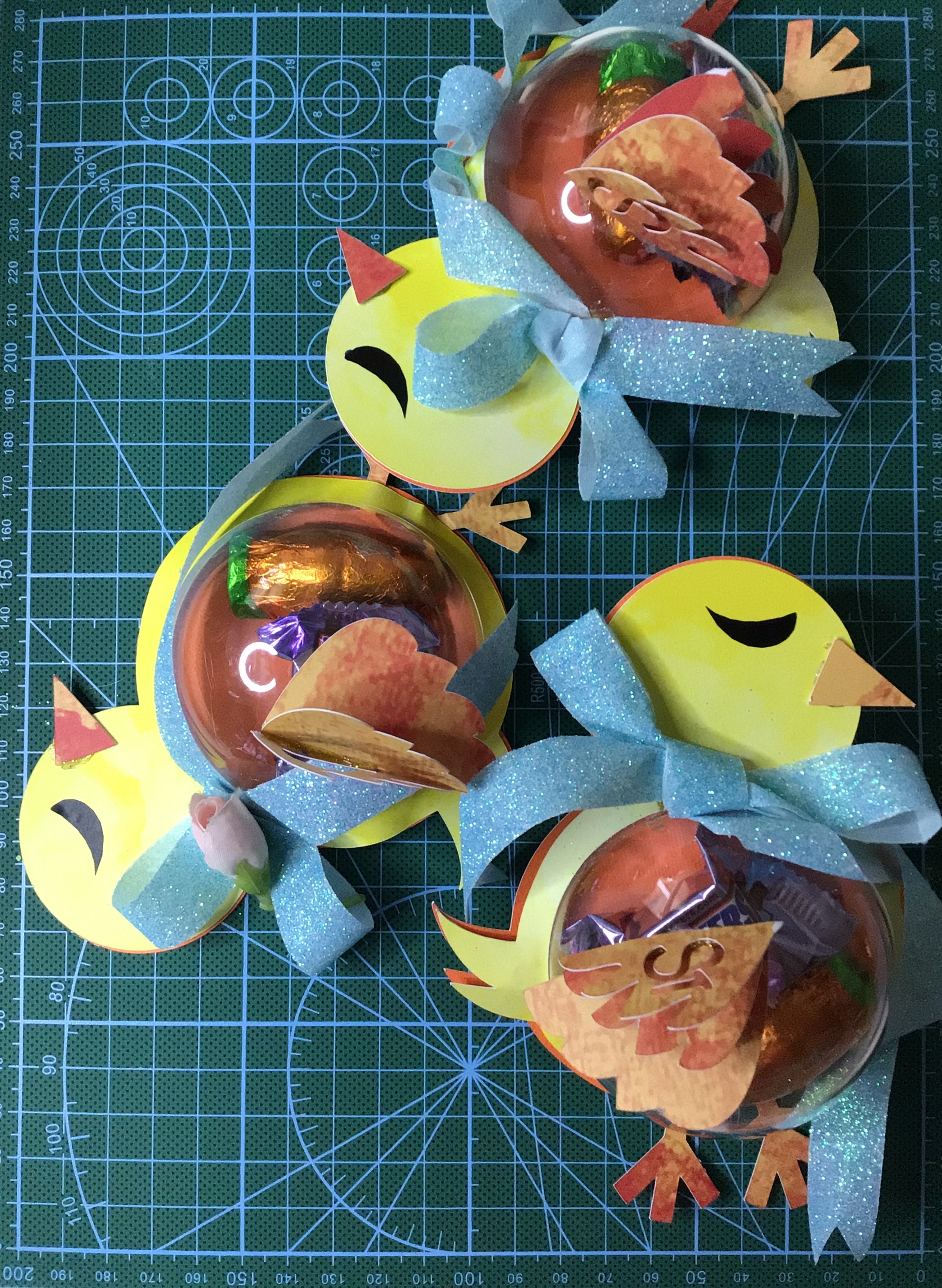
The 6 cm Chicks (on the left with ribbons) had front bellies that just would not seal to the back cover. I mean we are talking eye sore, obviously not the right size at all. So to solve this problem I took ribbon bows and curled the ribbon down over the mistakes. Hot glue is amazing for tacking ribbon down in precise locations.
For the 5 cm Chicks (on the right), the half ornaments were having the issue of not staying in place at all. So I pulled out my glitter glue sticks and glued around the entire circular edge. I might have had smoother edges had I used Elmer’s glue and actual glitter. However, with a full weekend ahead and running out of crafting time, I opted for the glitter glue for the glue and done option.
The lesson I learned with embracing the imperfect (for a situation that doesn’t demand perfection) is to think outside the box. Cover up, fill the gaps with extra accessories, glue… it can all add to the beauty of hand crafting.
So if resizing is not exactly your cup of tea, do not fear. Don’t get anxious. Get close to being what you need and use your other skills to make it work. After all, a cut file is just a blank slate for you to make it entirely yours with the touch of your creativity.
Happy Easter!
Files Used In This Post

You can purchase Caterpillar Ornament and Floral Top Hat here.
 How I Can Do That